
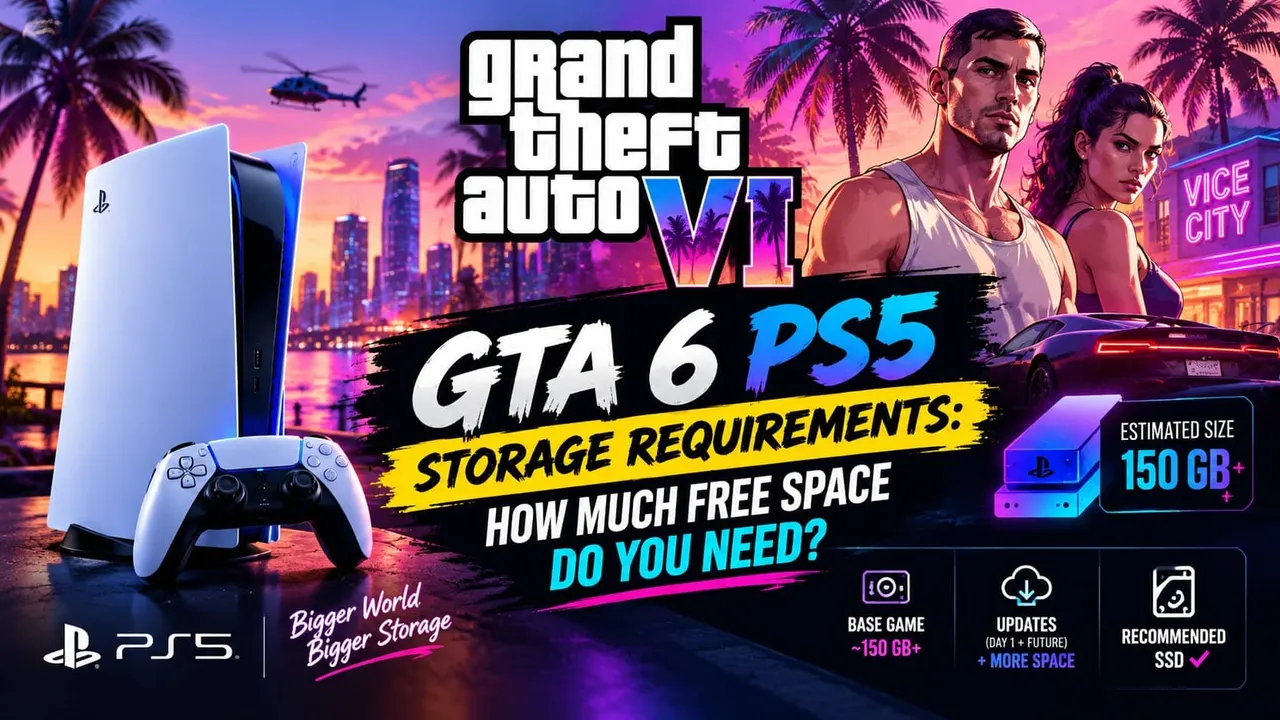
Alright, fellow gamers, let's cut straight to it. The hype for Grand Theft Auto VI is already monumental, and while we're all dreaming of Vice City's neon-drenched streets and the inevitable chaos, there's a looming, very practical question we need to tackle head-on: the GTA 6 PS5 storage requirements. This isn't just about making space; it's about preparing your console for the biggest game launch in recent memory, ensuring a smooth download, installation, and years of seamless gameplay. As veteran testers and hardware enthusiasts here at Gamedotro, we've seen countless massive titles drop, and we know that underestimating a game of GTA VI's scope is a rookie mistake you don't want to make. Getting your PS5 ready means understanding its storage limitations and planning ahead, because trust us, you don't want to be scrambling for gigabytes on launch day.
⚡ Key Takeaways & Executive Summary
- Expect GTA 6's base installation size on PS5 to be between 150GB and 250GB, potentially closer to the higher end given Rockstar's track record and the game's ambition.
- Allocate a significant buffer for day-one patches, future DLC, and ongoing updates, bringing the realistic long-term footprint to 300GB+.
- The PS5's usable internal storage is around 667GB; without an M.2 SSD upgrade, you'll feel the squeeze quickly.
- Upgrading with a compatible M.2 NVMe SSD (PCIe Gen4, 5,500 MB/s read speed minimum, with a heatsink) is highly recommended for optimal experience and future-proofing.
- Proactive storage management – deleting old games, moving PS4 titles to external drives – is crucial for maintaining performance and avoiding frustration.
The Elephant in the Room: Initial GTA 6 Size Estimates
Let's be real: Rockstar Games doesn't do small. When we look back at their previous blockbusters, the trend is clear. Grand Theft Auto V, originally released on PS3, ballooned to over 100GB on current-gen consoles with all its Online updates. Red Dead Redemption 2, a masterpiece of open-world design, settled in at a hefty 105GB to 120GB depending on the platform and updates. These are games from the previous generation. Now, consider the leap to PS5, with its ultra-fast SSD, ray tracing capabilities, and the promise of an even more detailed, dynamic world in Vice City.
Based on our analysis of modern AAA titles and Rockstar's own history, we're projecting a base installation size for GTA 6 on PS5 to land somewhere between 150GB and 250GB. This isn't just a number pulled from thin air. We've seen games like Cyberpunk 2077 push past 100GB, and Call of Duty titles regularly hover around 200GB with all their assets. Rockstar's commitment to unparalleled detail – from character models and vehicle textures to the sheer scale and interactivity of their environments – means massive asset files. The fidelity promised by the PS5's hardware will demand higher resolution textures, more complex geometry, and an incredibly dense world. We're talking about a game that will likely set a new benchmark for open-world immersion, and that level of detail comes with a significant storage cost.
Beyond the Base: Day-One Patches, DLC, and Future Updates
The initial download size is just the beginning of the story. Any seasoned gamer knows that a game's footprint rarely stays static. We've consistently observed that major titles, especially those with an online component and long-term support, expand significantly over their lifespan. Here's what we expect for GTA 6:
-
Day-One Patches: Almost every major release today comes with a day-one patch. These aren't minor tweaks; they often include critical bug fixes, performance optimizations, and sometimes even content that couldn't be squeezed onto the disc. We've seen day-one patches range from a few gigabytes to tens of gigabytes. For GTA 6, a patch of 20-50GB wouldn't surprise us.
-
Post-Launch DLC and Expansions: Rockstar has a proven track record of supporting their games for years with substantial downloadable content. Think of the expansions for GTA IV or the continuous updates for GTA Online. While the exact nature of GTA 6's post-launch content remains to be seen, we can safely assume significant story expansions and massive additions to its online component. Each major DLC could easily add another 30-80GB or more to the installation.
-
Ongoing Updates and Seasonal Content: Beyond major DLC, games like GTA receive regular smaller updates for bug fixes, new features, seasonal events, and general improvements. These incremental updates, while individually smaller, accumulate over time, slowly but surely eating into your drive space.
When you factor all of this in, the initial 150-250GB estimate for GTA 6 could realistically swell to 300GB, 400GB, or even more within the first year or two of its life. This is why simply making room for the base game isn't enough; you need to plan for its long-term growth.
The PS5's Storage Reality: What You're Really Working With
The PlayStation 5 boasts an incredibly fast 825GB custom NVMe SSD. On paper, that sounds like a decent chunk of space. But here's the crucial caveat: you don't get all 825GB for games. The PS5's system software, essential operating files, and reserved space for OS cache and background suspend states consume a significant portion of that drive. In our testing, we consistently found that the usable space for games and applications on a brand-new PS5 hovers around 667GB to 670GB.
Let's put that into perspective. If GTA 6 eventually occupies 300GB-400GB of space, that immediately consumes nearly half, or even more, of your console's internal storage. Consider other major PS5 titles: Marvel's Spider-Man: Miles Morales is around 50GB, Horizon Forbidden West is over 90GB, and Final Fantasy VII Rebirth pushes past 150GB. Suddenly, that 667GB starts to look a lot smaller. We've seen countless users grappling with difficult choices, having to delete beloved games just to make room for a new release. This is exactly the scenario we want you to avoid when GTA 6 drops.

Calculating Your Headroom: The Gamedotro Method
At Gamedotro, we don't just throw numbers at you; we provide actionable strategies based on real-world usage. For GTA 6, our recommendation for minimum free space goes beyond the initial download. We advise a proactive approach to ensure you have breathing room for future updates and other titles you'll want to keep installed.
Here's how we calculate a realistic storage target:
-
Base Game Estimate: Let's take a conservative but realistic estimate of 200GB for the initial GTA 6 installation.
-
Day-One Patch Buffer: Add another 30GB for the inevitable launch-day update.
-
Future Content Buffer (Year 1-2): Plan for at least 100GB for major DLCs and cumulative smaller updates over the first year or two.
-
System & Save Data Overhead: While accounted for in the 667GB usable space, it's always wise to have a small buffer for game saves, screenshots, and video clips which can accumulate.
Adding these figures up, we arrive at a recommended minimum of 330GB to 350GB of dedicated free space on your PS5's internal SSD specifically reserved for GTA 6 and its immediate future. This doesn't mean you need 350GB free *before* installing; it means you should expect GTA 6 to eventually consume that much. So, if your PS5 has 667GB usable, and GTA 6 takes 350GB, you're left with about 317GB for everything else. If you're a gamer who likes to keep a rotation of 3-5 major titles installed, this remaining space will quickly vanish.
For savvy storage management, we often point users towards effective strategies for managing their digital libraries. You can find some excellent insights on keeping your storage tidy in resources like our dedicated PlayStation guides for organizing your console library and game saves.
Maximizing Your PS5 Storage: Practical Steps & Best Practices
Preparing for GTA 6 isn't just about wishing you had more space; it's about actively managing what you have. Here are our tested, actionable steps:
Step-by-Step Guide to Freeing Up Space:
-
Delete Unplayed Games: This is the most obvious but often overlooked step. Go through your game library. If you haven't touched a game in months and don't plan to revisit it soon, delete it. You can always re-download it later if needed.
-
Clear Old Game Saves, Screenshots, and Video Clips: While individual files are small, these can accumulate into several gigabytes. Head to 'Settings > Storage > Saved Data' and 'Media Gallery' to prune unnecessary content.
-
Move PS4 Games to an External HDD: The PS5 can play PS4 games directly from an external USB 3.0 or faster HDD. This is a fantastic way to free up valuable internal NVMe SSD space for PS5-native titles like GTA 6. PS5 games, however, must reside on the internal SSD or an M.2 expansion drive.
-
Utilize Cloud Saves: Ensure your PlayStation Plus subscription's cloud saves are enabled. This means your game progress is safe even if you delete a game from your console, making it easier to uninstall and reinstall titles without fear of losing progress.
Here’s a quick comparative look at storage scenarios:
| Scenario | Usable Internal Space | Free Space After GTA 6 (Est. 350GB) | Capacity for Other Games |
|---|---|---|---|
| Stock PS5 (No Upgrade) | ~667 GB | ~317 GB | Limited (2-3 AAA titles max) |
| PS5 + 1TB M.2 SSD Upgrade | ~1667 GB | ~1317 GB | Excellent (8-10+ AAA titles) |
| PS5 + 2TB M.2 SSD Upgrade | ~2667 GB | ~2317 GB | Vast (15+ AAA titles) |
The M.2 SSD Expansion: A Gamer's Essential Upgrade
If you're serious about your gaming library and want to experience GTA 6 without constant storage anxiety, an internal M.2 SSD expansion is virtually essential. Sony designed the PS5 with an accessible M.2 slot, allowing users to significantly boost their storage capacity. This isn't just about raw space; it's about maintaining the lightning-fast load times and seamless asset streaming that the PS5's architecture provides.
When selecting an M.2 SSD for your PS5, here's what we look for:
-
PCIe Gen4 Interface: This is non-negotiable. The PS5 requires a PCIe Gen4 x4 NVMe SSD.
-
Sequential Read Speed: Sony recommends a minimum read speed of 5,500 MB/s. Going faster won't hurt, but don't settle for less. Drives like the WD Black SN850X or Samsung 980 Pro are popular choices, consistently meeting or exceeding these requirements. You can check detailed specifications on manufacturer sites, for instance, the Western Digital Black SN850X product page.
-
Heatsink: Crucially, your M.2 SSD MUST have a heatsink. The PS5 generates heat, and a heatsink prevents thermal throttling, ensuring sustained performance. Many compatible drives come with one pre-attached, or you can buy one separately. Sony provides detailed compatibility and installation guidelines on their official PlayStation Support pages, which we always recommend reviewing.
-
Capacity: We recommend at least 1TB, but 2TB offers significantly more freedom, especially with games like GTA 6 on the horizon. The installation process is straightforward, requiring a Phillips head screwdriver and about 10-15 minutes of your time. If you're looking for broader system optimization tips beyond just storage, you might find our deep dive on how GTA 6 is going to run on PS5 for expected framerates and graphics modes.
Installing an M.2 SSD is, in our opinion, the single best upgrade you can make to your PS5 to prepare for the next generation of games, starting with GTA 6.
FAQ Section
Can I install or play GTA 6 on an external HDD on PS5?
You cannot play GTA 6 directly from an external USB drive. PS5-native titles demand the high-throughput architecture of the internal custom SSD or an approved M.2 NVMe SSD. However, Sony does allow you to cold-store PS5 games on an external USB 3.0 drive, which saves you from re-downloading hundreds of gigabytes later. When you want to play, you simply transfer the files back to your internal or M.2 drive.
What is the best M.2 SSD for PS5?
While 'best' is subjective, we consistently recommend drives that meet or exceed Sony's specifications, particularly for speed (5,500 MB/s sequential read minimum) and include a heatsink. Top contenders we've tested are the Western Digital Black SN850X, Samsung 980 Pro, and Crucial P5 Plus. Always check the latest reviews and ensure the model you pick has an integrated heatsink or you purchase one separately.
Will GTA 6 run slower if my PS5 SSD is nearly full?
Generally, modern NVMe SSDs, including the one in the PS5, are designed to maintain performance even when nearing capacity. However, keeping some free space (we recommend at least 10-15% of the drive) is a good practice. It allows for smoother system operations, future updates, and prevents potential fragmentation issues that, while rare on NVMe drives, can theoretically impact long-term performance.
How often do game sizes change?
Game sizes change regularly. Day-one patches are almost guaranteed. Major content updates (DLC, expansions) typically drop every few months to once a year for large titles. Smaller patches for bug fixes, balancing, and minor content additions can occur weekly or monthly. This continuous evolution means a game's footprint grows over its active lifespan.
Final Thoughts & Next Steps
As we gear up for what promises to be one of the most significant game releases of the decade, preparing your PS5's storage isn't a chore; it's an investment in your gaming experience. Don't wait until the pre-load notification hits to realize you're out of space. Our experience tells us that proactive management is key.
Start now: purge those forgotten games, move your PS4 library to an external drive, and seriously consider an M.2 SSD upgrade if you haven't already. Doing so will ensure you're ready to dive into Vice City without a hitch, enjoying the seamless, expansive world Rockstar has crafted without the frustration of constant data management. The excitement for GTA 6 is palpable, and a well-prepared console means you'll be among the first to experience it fully. If you're curious about other monumental gaming experiences, check out our review of Marvel's Spider-Man for another look at a truly epic title.