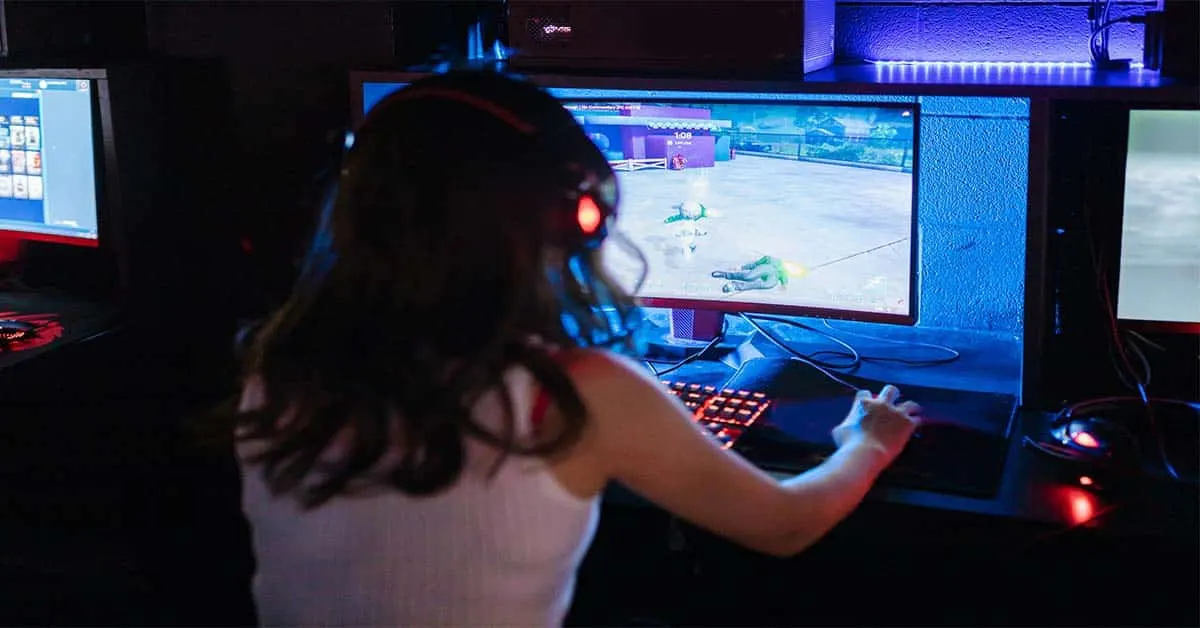
There is no question that PC gaming affords players a level of flexibility and control that simply cannot be replicated on other platforms. However, with that power comes great responsibility. and if you have trouble with
how to minimize game on PC windows 10, windows 8, or windows 7.
Thankfully, here I provide 8 simple ways
how to minimize game on PC or laptop. and you can use these to keep your games while playing.
How to Minimize Game on PC
In this blog post, we'll explore different methods for
minimizing games on PC so you can enjoy the best possible
gaming experience without any annoying interruptions.
The following methods can minimize any screen on windows 10 for any application. so let's find...
Also, read why is my
pc lagging all of a sudden?
Windows key
[caption id="attachment_4261" align="aligncenter" width="480"]
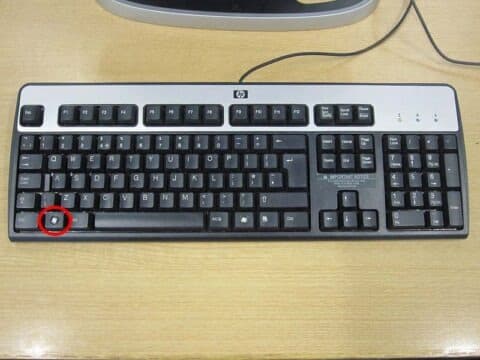
Windows key[/caption]
Simply press the Windows key on your keyboard to minimize while you played the game. then you can minimize some games on PC. but this method does not work for all PC games.
Esc Key
[caption id="attachment_4262" align="aligncenter" width="480"]
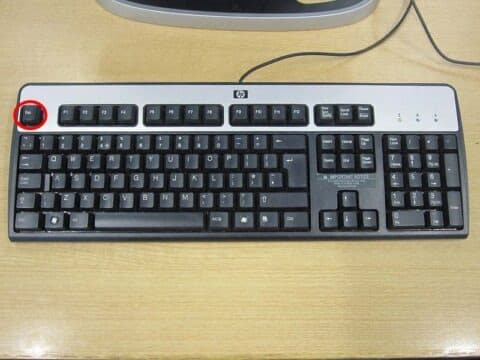
Esc key[/caption]
A simple method you can use to minimize any game on PC is to press the Esc key on your keyboard. This will usually cause the game to pause or exit out of full-screen mode so you can attend to other tasks.
Windows key + D
[caption id="attachment_4263" align="aligncenter" width="480"]
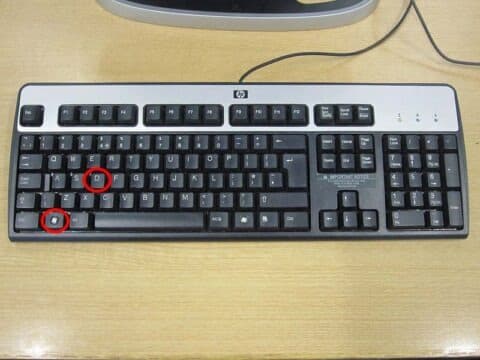
Windows key + D[/caption]
Another easy way to minimize games on PC is using the
Windows key + D This keyboard shortcut minimizes all of your open windows and returns you to the desktop.
Windows key + G
[caption id="attachment_4264" align="aligncenter" width="480"]
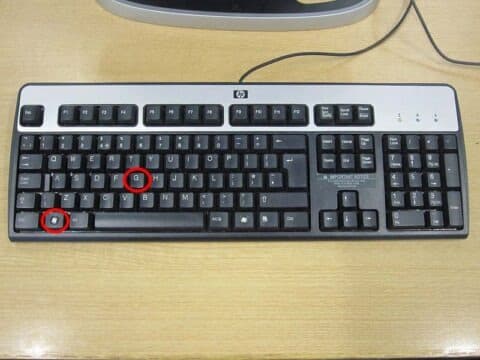
Windows key + G[/caption]
Some pc have gaming shortcuts to screen capture, video capture, or else. this shortcut opens the Game Bar, which allows you to take screenshots and record gameplay footage while you're playing a game. try this if didn't work the above ways.
Windows key +M
[caption id="attachment_4265" align="aligncenter" width="480"]
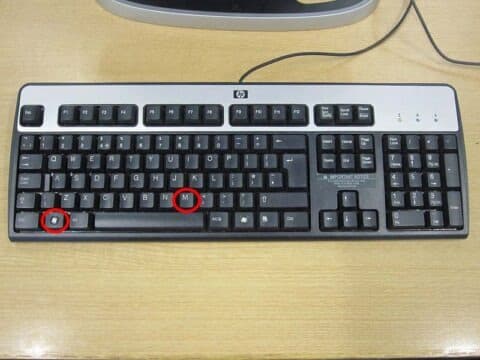
Windows key + M[/caption]
Using this shortcut hides all of your open windows and returns you to the desktop. Once again, this is a simple way to quickly minimize your PC games for a bit of multitasking before returning once again to full-screen mode.
Ctrl + Alt +Del
[caption id="attachment_4266" align="aligncenter" width="480"]
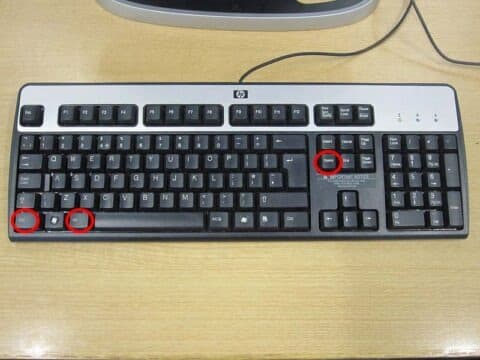
Ctrl + Alt + Del keys[/caption]
Here you can easily use this shortcut to open the Task Manager. from here, you can see which applications are currently using the most system resources and close any that are causing problems.
Ctrl +Shift +Esc
[caption id="attachment_4267" align="aligncenter" width="480"]
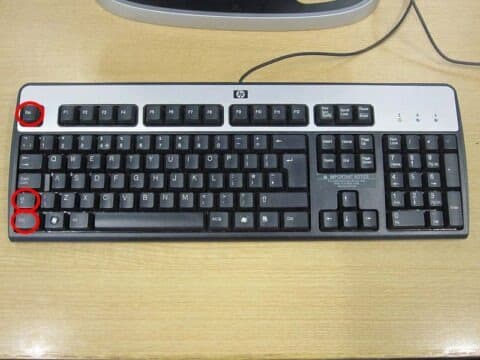
Ctrl + Shift+ Esc keys[/caption]
This is another keyboard shortcut that opens the Windows Task Manager. here will appear the task manager application immediately on the pop-up window.
Alt +Tab
[caption id="attachment_4268" align="aligncenter" width="480"]
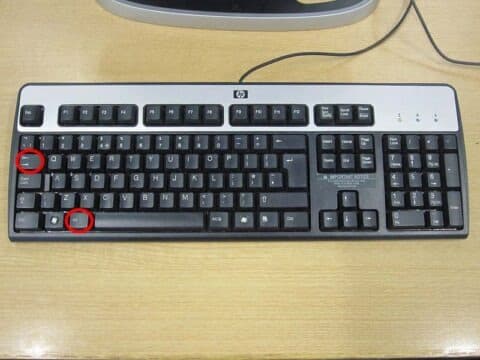
Alt + Tab keys[/caption]
The
Alt+Tab keyboard shortcut allows you to change between open applications. if your game is minimized on the taskbar, simply hold down this key combination before selecting the game to bring it back to the foreground.
Read to know about to fix did your
PC restart automatically.
FAQ
Here you can find some related questions and answers it might be helpful for you.
How do I exit a game on PC while playing?
- Click the Esc key on your keyboard
- Alt + F4
- Ctrl + Alt + Del > Open task bar > Select the game > Right click > End task
How do I resize a windowed game?
- Alt + Space > Select Maximize
- Alt + Space > Select Size > use arrow keys to resize the window
How do I get out of the fullscreen game?
- Click the F11 key on your keyboard
- Click Esc key
- Windows key
- Alt + F4
Here you can know more about windows application
maximize and minimize in windows 10.
Conclusion: How to minimize game on PC
Here I provided 8 simple ways
how to minimize game on PC, so you can enjoy the best possible gaming experience without any annoying interruptions. Have you tried these methods in your own games?
What are some other tips that have helped you manage your time when playing pc games? Let us know below. and if you think this article is helpful to you. Share your thought with a comment. Thank you, Good day!