
How to play iMessage games on Android?
In general, you cannot play iMessage games on Android because they are totally different platforms. But as technology develops, people find new ways to make the impossible possible. As of it, now you've got a few ways to play iMessage games on Android. Keep reading to know. Also, read Top 22 Games Like Infinity Blade Android.How to play iMessage games on Android without Mac?
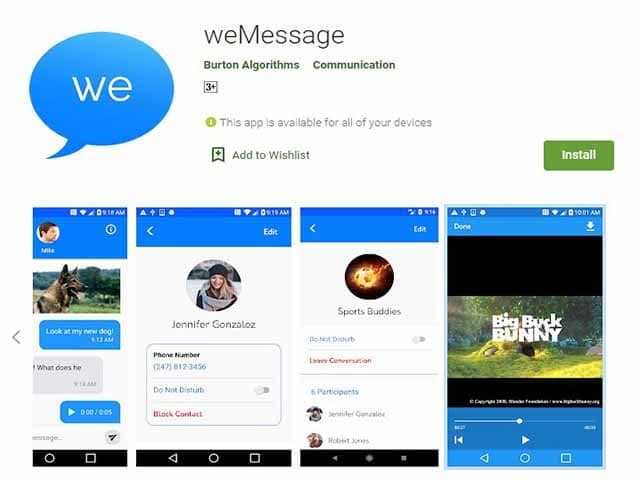
The good news is that developers have created WeMessage, an alternative app that integrates iMessage's restricted messaging system with the Android platform. WeMessage has all of the functionality of the iMessage app, including group chats, attachments, notifications, content blocking, Do Not Disturb, and more. To play iMessage games on Android, you'll need a few things.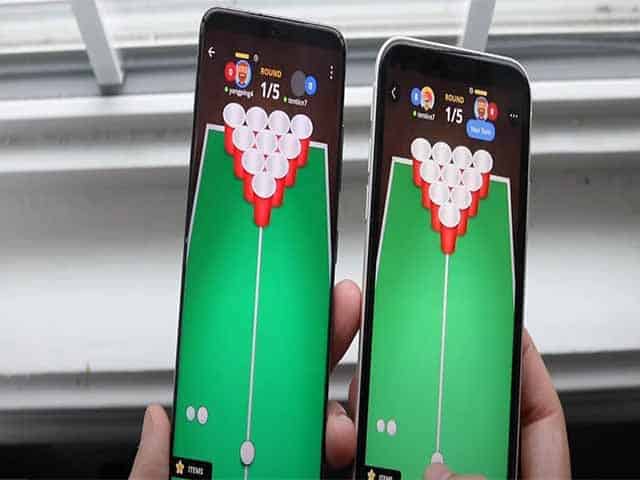 To begin, take these steps to install the weMessage application on your Android:
- An Apple ID that you used to sign in to the iMessage app.
- Because utilizing weMessage on your Android requires executing an application on your Mac, you'll need a Mac with macOS 10.10 or higher.
- Java 7 or the most recent version should be downloaded and installed.
- A smartphone running Android 5.0 (Lollipop) or above.
- Your Android phone must have the messaging application installed.
video by HowToMen youtube
iMessage is not available on Android devices, although it is available on iOS and macOS. However, macOS is the only operating system that works with iMessage on Android.How to use weMessage App on Android?
 To utilize iMessage on Android, follow these steps to run the weMessage:
- Go to Applications, then pick utilities to install Java on your Mac. Open the Terminal App on your device if it isn't already open. Select Java and then select the Return option.
- Make sure there are no errors throughout the Java installation procedure. However, if you encounter any errors, you will not be able to install Java. Remember to obtain the most recent version of Java.
- Then, on your device, download the WeMessage App.
- After opening the message application folder, double-tap on the run. Command option to launch weMessage.
- If you're having trouble running the WeMessage App on your device because it's from an unknown developer, go to System Preferences, which is located on the menu tab at the top left of the page.
- After selecting Security & Privacy from the Apple menu, hit the General option, and then pick Open Anyway.
- Now, on your Mac, enable various Accessibility options. Go to System Preferences, then to Security & Privacy, then to Privacy, and finally to Accessibility.
- To unlock your device's settings, go to the bottom left and hit the lock icon. If prompted, enter the password you use to access your Mac device.
- Select Utilities from the Application menu by tapping the Plus icon.
- Tap the Open option after clicking on the Terminal.
- To activate the WeMessage Program on your Mac, double-click on the run. Command option once more. It will enable you to open the Terminal Window.
- Use the same email address as your iMessage account.
- After that, enter a passcode.
video by Roman Scott youtube
One thing to keep in mind is that your passcode should not be the same as the one used for iMessage because your Apple ID is utilized for a variety of apps and websites.What are the alternatives for WeMessage?
On Android, Piemessage is another fantastic and superior alternative to iMessage.- The app functions similarly to WeServer.
- On your Android device, you will receive all message-related content. And it's very simple to do.
- To install this software on your Android phone, follow these simple instructions.
- To begin, go to Github and look for the Piemessage Android app. You may then download the APK file to your phone from there.
- After that, navigate to your iPhone's menu and launch the messaging app from there.
- To add your iCloud account, go to messages, preferences, and then accounts.
- You'll be able to log in to your iCloud account from there.
- You will need to clone the PieMessages app files from the Github page in order to copy them to your OSX device.
- After that, go to PieOSXClient/src/Constants.java and change the value of SocketAddress.
- After that, you'll need to change it with the IP address of your OSX device.
- After you've completed these steps, you'll need to relocate the messages. Applescript folder to your home folder.
- To do so, open JavaWebServer/ in IntelliJ and run the Server class from there.
- When that's done, go to the PieOSXClient/, RunPieOSXClient class.
- The last and final step is to open PieMessage – Android/ in Android Studio as a project.
- After that, you'll need to generate an APK for any Android device you choose, install it, and run it. That is all there is to it.
What are the iMessage games that can be played on Android?
- StickyMonster
- Qiktionary
- Cobi Hoops
- Putt
- Game Pigeon
- WIT puzzles